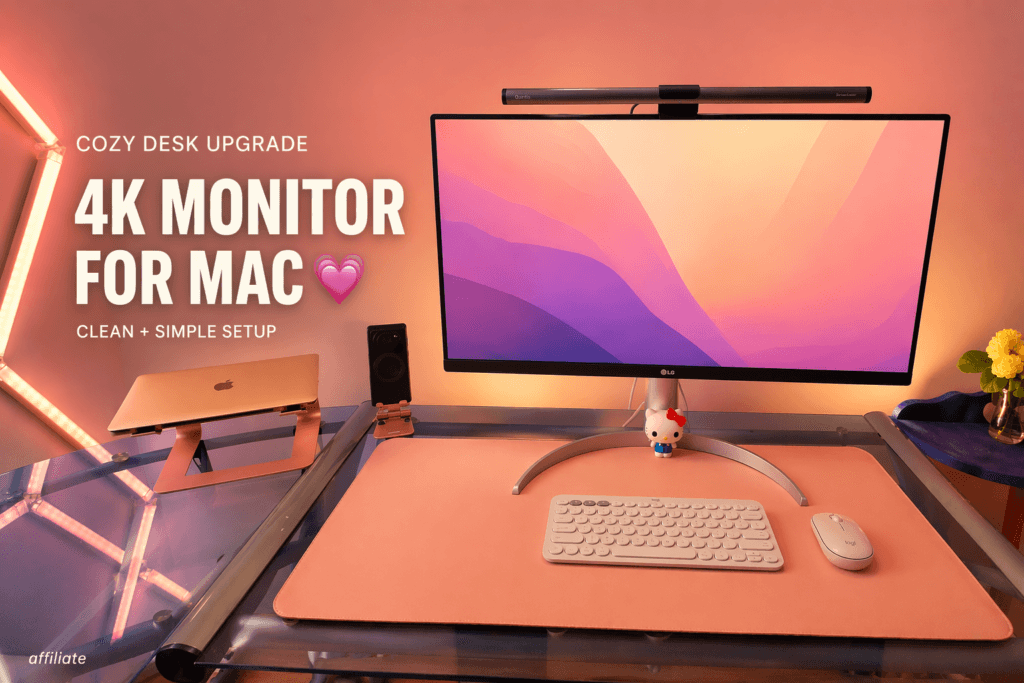
If you’re looking for a 4K monitor for MacBook Air to upgrade your cozy desk setup, this is one of my favorite finds. I’ve been using the LG 27UP850K-W 27-inch Ultrafine 4K UHD Monitor with my MacBook, and it completely changed how I work.
If you’re building a full cozy workspace, I also shared my experience with a pink ergonomic office chair for cozy setup, which pairs perfectly with this monitor for long, comfortable work sessions.
It gives me a bigger screen, cleaner workspace, and a much more comfortable setup every day.
If you want to check it out, you can shop here:
This post contains affiliate links. I may earn a small commission at no extra cost to you. I only recommend products I personally use and love.
Why I Use a 4K Monitor for MacBook Air
Working only on a laptop screen can feel limited, especially when:
- Writing blog posts
- Editing content
- Managing multiple tabs
So I decided to upgrade to a 4K monitor for MacBook Air, and it made everything easier.
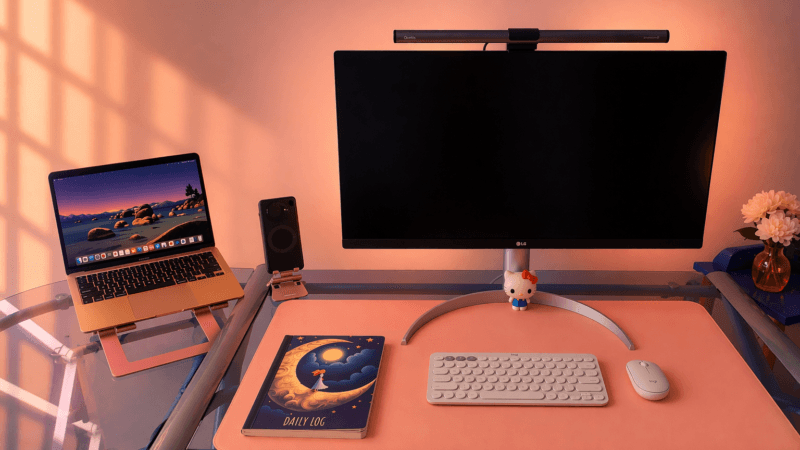
My Setup (Simple & Clean)
I connect this monitor using one cable and use:
👉 Clamshell mode (MacBook closed)
👉 Monitor as my main screen
This makes my desk feel:
- Cleaner
- Less cluttered
- More like a full workstation
Perfect for a cozy and aesthetic workspace 💗
What I Love About This 4K Monitor
✨ Crisp 4K Display
The 27-inch UHD display (3840 x 2160) is super sharp.
- Text looks clean
- Images are detailed
- Great for long work sessions
🎨 Beautiful Colors for Creative Work
With up to 95% DCI-P3 color:
- Colors look rich and accurate
- Perfect for content creation
- Makes your setup look more premium
🔌 One Cable Setup (My Favorite Feature)
This monitor has USB-C with 90W power delivery.
- One cable connects everything
- Charges your MacBook
- Keeps your desk clean
No extra adapters needed 💗
🔊 Built-in Speakers
Good for:
- Watching videos
- Background music
- Casual use
🧘 Adjustable & Comfortable
You can adjust:
- Height
- Tilt
- Pivot
So it’s easy to find your perfect position.
For long work sessions, pairing this monitor with a comfortable ergonomic chair for long hours makes a huge difference.
Pros and Cons
✅ Pros
- Sharp 4K resolution
- Clean and minimal design
- USB-C one cable setup
- Great for MacBook users
- Adjustable stand
❌ Cons
- 60Hz (not for gaming)
- Built-in speakers are basic
- Higher price than budget monitors
Why It Fits a Cozy Desk Setup 💗
This monitor looks clean and simple, which works perfectly with:
- Pink desk setups
- Rose gold accessories
- Minimal workspace style
It doesn’t feel bulky or distracting.
If you’re building your full workspace, you can also check my cozy desk setup in pink tone with rose gold for more ideas.
Final Thoughts
If you want a 4K monitor for MacBook Air that improves your workflow and keeps your setup clean, this is a great choice.
For me, it made my workspace:
👉 More productive
👉 More aesthetic
👉 More enjoyable
Ready to Upgrade Your Setup?
If you want a bigger and cleaner screen setup, check it out here:
This post contains affiliate links. I may earn a small commission at no extra cost to you. I only recommend products I personally use and love.